AR Draw Sketch - Trace & Paint
MØ Studios
Screenshots
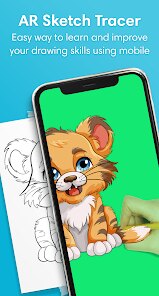

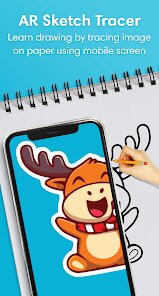
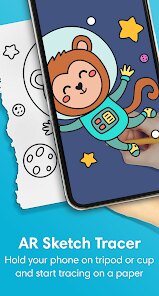
editor reviews
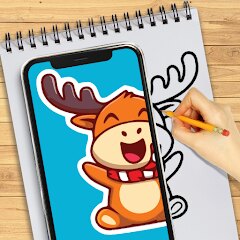
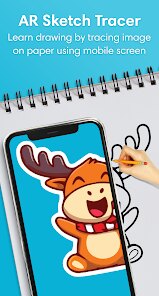
AR Draw Sketch - Trace & Paint brings a clever twist to digital drawing by letting you project real-world images onto your phone screen as a tracing guide. The core idea is refreshingly simple: instead of staring at a blank canvas or struggling with freehand proportions, you can snap a photo or pick one from your gallery, and the app overlays it with adjustable transparency so you can trace along the outlines. It essentially turns your device into a modern-day lightbox, making it much easier to recreate complex subjects without needing years of artistic training.
The app is built for a pretty broad audience, but I think it hits a sweet spot for beginners who want to build confidence in their drawing skills, hobbyists looking to speed up their workflow, or even parents trying to keep kids entertained with something creative. More experienced artists might find it useful for roughing out compositions quickly before adding their own flair. On a personal level, I used it to sketch a portrait of my dog from a slightly blurry photo I took at the park. The tracing guide helped me nail the proportions and fur patterns in about 15 minutes, which would have taken me several frustrating attempts otherwise. It solved the specific problem of translating a complex, messy real-world image into clean, structured lines on paper.
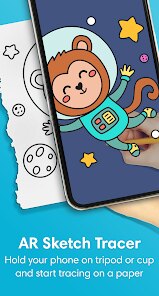
When it comes to how well the features work, the core tracing function is solid and responsive. The transparency slider and brightness adjustment give you decent control over how visible the guide is, so you are not blindly copying but actually learning the shapes. I also appreciated the built-in flashlight feature, which helps illuminate your paper in dim lighting. That said, the app is fairly straightforward and does not try to do too much. There are no advanced layering tools or export options for high-resolution files. I would recommend AR Draw Sketch to anyone who wants to improve their drawing accuracy, especially for portraits, animals, or objects with intricate details. It is most useful in a well-lit room with a stable phone stand or a friend to hold the device steady, and it works best for quick sketches or practice sessions rather than polished, finished artwork.
features
- 🎨 Real-time image projection lets you see your chosen photo overlaid directly on your camera viewfinder, making it feel like you are tracing a ghost image floating above your paper.
- 💡 Adjustable opacity and brightness controls allow you to fine-tune how faint or strong the guide appears, which is essential when switching between thick marker sketches and fine pencil work.
- 📸 Two capture modes give you the choice of snapping a new photo through the app or picking one from your existing gallery, so you are not limited to what you can shoot on the spot.
- 🔦 Built-in flashlight mode helps when you are working in low-light conditions, keeping the paper visible and the traced lines accurate without straining your eyes.
pros
- 👍 The core tracing functionality works reliably with minimal lag, which is the most important thing for an app like this.
- 👍 The interface is clean and uncluttered, so even first-time users can figure out how to start tracing within seconds.
- 👍 It genuinely helps improve hand-eye coordination and proportion skills over time, making it a useful learning tool rather than just a shortcut.
cons
- 👎 There is no pinch-to-zoom or rotation support for the reference image, which makes tracing small details in a large composition more difficult.
- 👎 The app lacks any kind of grid overlay or alignment tool, so positioning the guide exactly where you want it on the paper requires some manual guesswork.
- 👎 Export options are limited, meaning you cannot save your traced result as a clean image file without taking a screenshot.
Recommended Apps
![]()
Poe - Fast AI Chat
Quora, Inc.4.7

![]()
Meitu- Photo Editor & AI Art
Meitu (China) Limited4.5![]()
Which Animal Are You?
KDR Games4![]()
Yahoo Mail – Organized Email
Yahoo4.6![]()
Gorilla Skins for Monkey Arena
Dumitru Boico4![]()
Find my Phone - Clap, Whistle
FunGear inc4.4![]()
Meta AI
Meta Platforms, Inc.4.7![]()
TickTock-TikTok Live Wallpaper
TikTok Pte. Ltd.4.5![]()
Kpop Idol Simulator
Brain Freezing3.8![]()
Google Pay
Google LLC4.4![]()
Photo Tool
COLIFER LAB4![]()
Human to Dog Translator
Outlookdaily3.6![]()
Blush: AI Dating Simulator
Blush AI4.3![]()
Face Swap Gender Swap&Changer
Energy apps2.8![]()
Get FFF Daily Diamonds Tips
Reallust Softech0














Hot Apps
-
![]()
Yuka - Food & cosmetic scan
Yuka App4.7 -
![]()
Chai: Chat AI Platform
Chai Research Corp.4.3 -
![]()
SiriusXM: Music, Sports & News
Sirius XM Radio Inc4.8 -
![]()
Geeni
Merkury Innovations4.6 -
![]()
ChatGPT
OpenAI4.8 -
![]()
Zoom - One Platform to Connect
zoom.us4.1 -
![]()
Spotify: Music and Podcasts
Spotify AB4.3 -
![]()
PolyBuzz: Chat with AI Friends
CLOUD WHALE INTERACTIVE TECHNOLOGY LLC.3.8 -
![]()
Google Chrome: Fast & Secure
Google LLC4.1 -
![]()
Sora by OpenAI
OpenAI4.7 -
![]()
CapCut - Video Editor
Bytedance Pte. Ltd.4 -
![]()
ParkMobile: Park. Pay. Go.
Parkmobile, LLC4.3 -
![]()
TikTok - Videos, Shop & LIVE
TikTok Pte. Ltd.4.1 -
![]()
Microsoft Copilot
Microsoft Corporation4.8 -
![]()
YouTube
Google LLC4.1 -
![]()
letgo: Buy & Sell Used Stuff
letgo3.3 -
![]()
Pinterest
Pinterest4.5 -
![]()
Waze Navigation & Live Traffic
Waze4.2 -
![]()
Microsoft Teams
Microsoft Corporation4.6 -
![]()
Google Home
Google LLC4.2 -
![]()
Affirm: Buy now, pay over time
Affirm, Inc4.7 -
![]()
MyFitnessPal: Calorie Counter
MyFitnessPal, Inc.4.3 -
![]()
PayPal - Send, Shop, Manage
PayPal Mobile4.3 -
![]()
Google Pay
Google LLC4.4 -
![]()
ChatOn - AI Chat Bot Assistant
AIBY Inc.4.4 -
![]()
Ticketmaster-Buy, Sell Tickets
Ticketmaster L.L.C.3 -
![]()
Cash App
Block, Inc.4.6 -
![]()
Perplexity - Ask Anything
PerplexityAI4.7 -
![]()
Instagram
Instagram3.9 -
![]()
Passport Parking
Passport Labs, Inc.2.5





























Disclaimer
1.Apkspack does not represent any developer, nor is it the developer of any App or game.
2.Apkspack provide custom reviews of Apps written by our own reviewers, and detailed information of these Apps, such as developer contacts, ratings and screenshots.
3. All trademarks, registered trademarks, product names and company names or logos appearing on the site are the property of their respective owners.
4.Apkspack abides by the federal Digital Millennium Copyright Act (DMCA) by responding to notices of alleged infringement that complies with the DMCA and other applicable laws.
5.If you are the owner or copyright representative and want to delete your information, please contact us [email protected].
6.All the information on this website is strictly observed all the terms and conditions of Google Ads Advertising policies and Google Unwanted Software policy.
7.Apkspack.com is an independent, information-only website which is 100% free to all the users.